All Courses

Microsoft Office 365 at Insta InfoTech – Best Cloud Solution

Microsoft Office 365 is a cloud-based productivity platform that includes essential tools such as Microsoft Word, Excel, PowerPoint, Outlook, and Microsoft Teams. These applications help individuals and organizations collaborate, manage documents, and communicate efficiently in modern digital workplaces.

At Insta Infotech®, our Office 365 Training helps learners understand how to use Microsoft Office applications effectively for professional and business environments. The course covers document creation, spreadsheet analysis, presentations, email management, and cloud collaboration using Microsoft 365 tools.

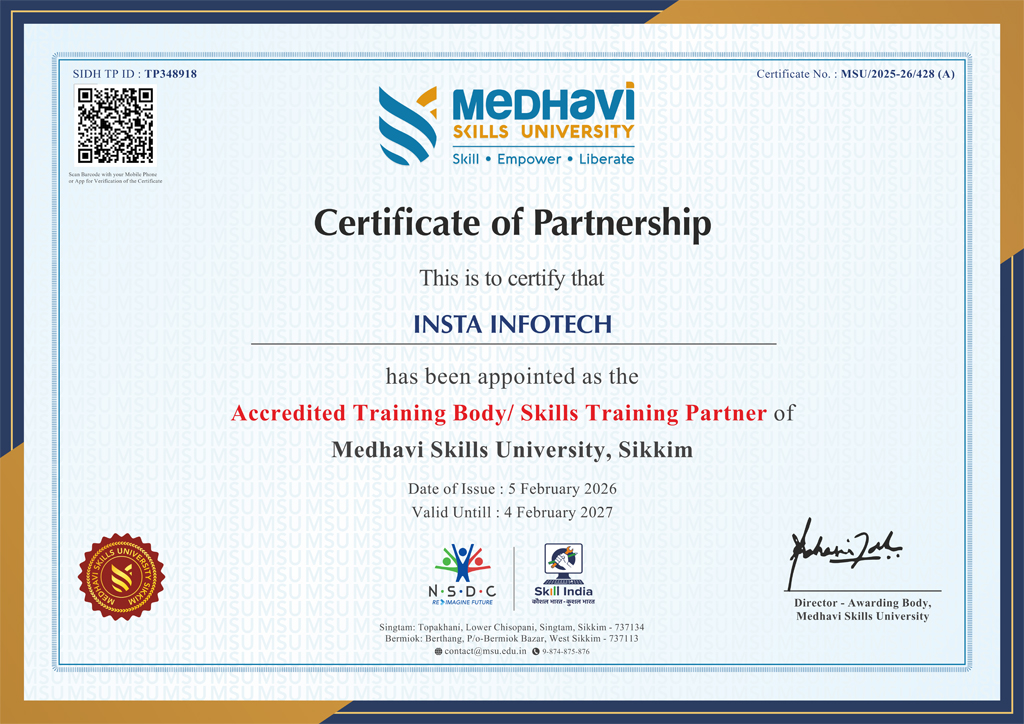
Eligible programs provide a university-recognised Skills Certificate or Diploma delivered in partnership with Medhavi Skills University. These programs earn NCrF (National Credit Framework) credits, which may contribute toward higher education progression while strengthening professional credibility.


Office 365
Office 365

Office 365

Master the complete Microsoft 365 productivity ecosystem — building professional documents in Word, analysing data with advanced Excel formulas, designing impactful presentations in PowerPoint, managing communications in Outlook, collaborating in real time with Teams, storing and sharing securely on OneDrive and SharePoint, and leveraging Microsoft Copilot AI to automate and accelerate everyday workplace tasks across every application.

Certificate
You will get Medhavi Skills Certificate
Partnership
Insta Infotech × Medhavi Skills University
Recognition
NCrF aligned learning pathway
Microsoft 365 skill tiers
Word, Excel & PowerPoint
Professional documents, data analysis, and presentations
Create
 
Outlook, Teams & OneDrive
Communication, collaboration, and cloud file management
Collaborate
 
SharePoint, Copilot AI & Automation
Intranet portals, AI productivity, and workflow automation
Automate

Create, collaborate, and automate — every Microsoft 365 app taught through real workplace scenarios, not isolated exercises.

 
Program overview

More than typing in Word and copying in Excel.

This course treats Microsoft 365 as the workplace operating system it has become. Students move from core productivity apps — Word, Excel, and PowerPoint — through professional communication and real-time collaboration with Outlook, Teams, and OneDrive, into SharePoint site management, Power Automate workflows, and Microsoft Copilot AI — covering every tool that employers expect a modern professional to use confidently from day one.

01 / Real workplace tasks from day one
Every app, every scenario.

Every module is built around a workplace scenario — writing a business report in Word, building a budget tracker in Excel, designing a client pitch in PowerPoint, managing a project in Teams — not abstract software menus.

02 / Think in connected workflows
Apps that work together.

Understand how Microsoft 365 apps integrate — how an Excel table feeds a SharePoint list, how a Teams channel connects to a SharePoint document library, and how Power Automate triggers actions across apps automatically when conditions are met.

03 / Career signal
Portfolio and interview prep

Demonstrate Microsoft 365 proficiency across all core apps in interviews for office administrator, executive assistant, project coordinator, operations analyst, and any professional or corporate role that runs on the Microsoft stack.

 
Learning journey

A clearer learning flow.

The progression begins with Microsoft 365 fundamentals and the cloud ecosystem, moves through Word, Excel, and PowerPoint for core productivity, into Outlook and Teams for communication and collaboration, then SharePoint and OneDrive for content management, and finishes with Power Automate, Microsoft Copilot, and a capstone integrated workplace project.

Step 01
Microsoft 365 Ecosystem Overview
Microsoft 365 subscription overview, cloud vs desktop apps, signing in, Microsoft account and admin centre basics, OneDrive setup, and navigating the Microsoft 365 app launcher.
Step 02
Word, Excel & PowerPoint
Word — styles, mail merge, track changes, and professional formatting; Excel — formulas, VLOOKUP/XLOOKUP, pivot tables, charts, and conditional formatting; PowerPoint — slide design, animations, and presenter tools.
Step 03
Outlook & Microsoft Teams
Outlook — email management, calendar, rules, and signatures; Teams — channels, chats, meetings, file sharing, tasks with Planner, and managing team collaboration workflows.
Step 04
OneDrive, SharePoint & OneNote
OneDrive — cloud storage, sharing, and version history; SharePoint — team sites, document libraries, lists, and permissions; OneNote — digital notebooks for team knowledge management.
Step 05
Power Automate, Copilot & Capstone
Power Automate — workflow automation, approval flows, and notification triggers; Microsoft Copilot across Word, Excel, Outlook, and Teams; and an integrated Microsoft 365 workplace capstone project.
 
Syllabus

Structured for job-relevant output.

Topics organized into clean thematic groups so the section feels premium and is easy to scan.

Productivity apps
  • Word — styles, mail merge, and track changes
  • Excel — XLOOKUP, pivot tables, and data validation
  • PowerPoint — slide design and presenter tools
Collaboration and content
  • Outlook — email rules, calendar, and contacts
  • Teams — channels, meetings, and Planner
  • SharePoint, OneDrive, and OneNote
Automation and launch
  • Power Automate — approval and notification flows
  • Microsoft Copilot AI across all 365 apps
  • Capstone integrated Microsoft 365 project
 
Certification and recognition

Make the credential visible, not buried.

You will receive a Medhavi Skills Certificate. The program is presented through Insta Infotech's partnership with Medhavi Skills University, and the learning pathway is aligned with the National Credit Framework (NCrF) and the Microsoft 365 Fundamentals (MS-900) certification exam objectives.

Why this matters
 
Certificate visibility
Medhavi Skills Certificate highlighted in hero and repeated here alongside MS-900 alignment.
 
University partnership
Medhavi Skills University is treated as a trust signal, not a small footer note.
 
Microsoft MS-900 readiness
Course content aligned to Microsoft 365 Fundamentals exam objectives — an added employer-facing signal.

Overview of Microsoft 365:
  • What is Microsoft 365?
  • Different subscription plans (Personal, Business, Enterprise).
  • Cloud computing fundamentals.
  • Benefits of using Microsoft 365.
Navigating the Microsoft 365 Environment:
  • Accessing the Microsoft 365 portal.
  • Understanding the app launcher.
  • Personalizing your Microsoft 365 experience.
  • Understanding the admin center (for business plans).
User Management Basics (For business plans):
  • Creating users.
  • Assigning Licenses.
  • Password management.

Outlook Interface and Navigation:
  • Understanding the Outlook interface.
  • Managing email folders and categories.
  • Searching and filtering emails.
Email Management:
  • Composing and sending emails.
  • Managing attachments.
  • Using signatures and out-of-office replies.
  • Implementing email rules and filters.
Calendar Management:
  • Creating and managing appointments and meetings.
  • Sharing calendars and scheduling resources.
  • Using reminders and notifications.
Contact Management:
  • Creating and organizing contacts.
  • Creating contact groups.

Word Interface and Basic Formatting:
  • Navigating the Word interface.
  • Formatting text and paragraphs.
  • Working with styles and themes.
Advanced Document Features:
  • Creating tables and charts.
  • Inserting images and multimedia.
  • Using mail merge.
  • Using track changes and comments.
Collaboration in Word Online:
  • Real-time co-authoring.
  • Sharing and reviewing documents.
  • Version control.

Excel Interface and Basic Functions:
  • Understanding the Excel interface.
  • Entering and formatting data.
  • Using basic formulas and functions.
Data Analysis and Visualization:
  • Creating charts and graphs.
  • Using pivot tables and pivot charts.
  • Applying conditional formatting.
  • Using data validation.
Advanced Excel Features:
  • Using advanced formulas and functions (VLOOKUP, IF, etc.).
  • Data analysis tools and techniques.
  • Excel online collaboration.

PowerPoint Interface and Basic Design:
  • Navigating the PowerPoint interface.
  • Creating and formatting slides.
  • Using themes and templates.
Advanced Presentation Features:
  • Inserting images, videos, and audio.
  • Creating animations and transitions.
  • Delivering presentations effectively.
PowerPoint Online Collaboration:
  • Co-authoring presentations.
  • Presenting online.

Teams Interface and Navigation:
  • Understanding the Teams interface.
  • Creating and managing teams and channels.
Communication and Collaboration:
  • Using chat, meetings, and calls.
  • Sharing files and collaborating on documents.
  • Managing notifications and settings.
Teams Applications and Integrations:
  • Integrating other Microsoft 365 apps.
  • Using third-party apps and connectors.
  • Managing meetings.

OneDrive: Personal Cloud Storage:
  • Understanding OneDrive functionality.
  • Syncing files and folders.
  • Sharing files and folders.
  • Version control.
SharePoint: Team Collaboration and Document Management:
  • Understanding SharePoint sites and libraries.
  • Managing permissions and access.
  • Collaborating on documents and lists.
  • SharePoint online features.

Microsoft Forms:
  • Creating surveys, quizzes, and polls.
  • Collecting and analyzing data.
  • Sharing forms and reviewing responses.
Microsoft OneNote:
  • Creating and organizing notebooks.
  • Taking notes and capturing information.
  • Collaborating on notebooks.
  • Using OneNote online.

Understanding Security Features:
  • Multi-factor authentication (MFA).
  • Data loss prevention (DLP).
  • Mobile device management (MDM).
Compliance and Data Governance:
  • Understanding compliance requirements.
  • Managing data retention and archiving.
  • Using eDiscovery tools.

  • Automation with Power Automate.
  • Using Microsoft 365 mobile apps.
  • Troubleshooting common issues.
  • Maximizing productivity with shortcuts and tips.
  • Staying up to date with new features.

Send Me Message

Certificate and Accreditation

Accreditation Certificate

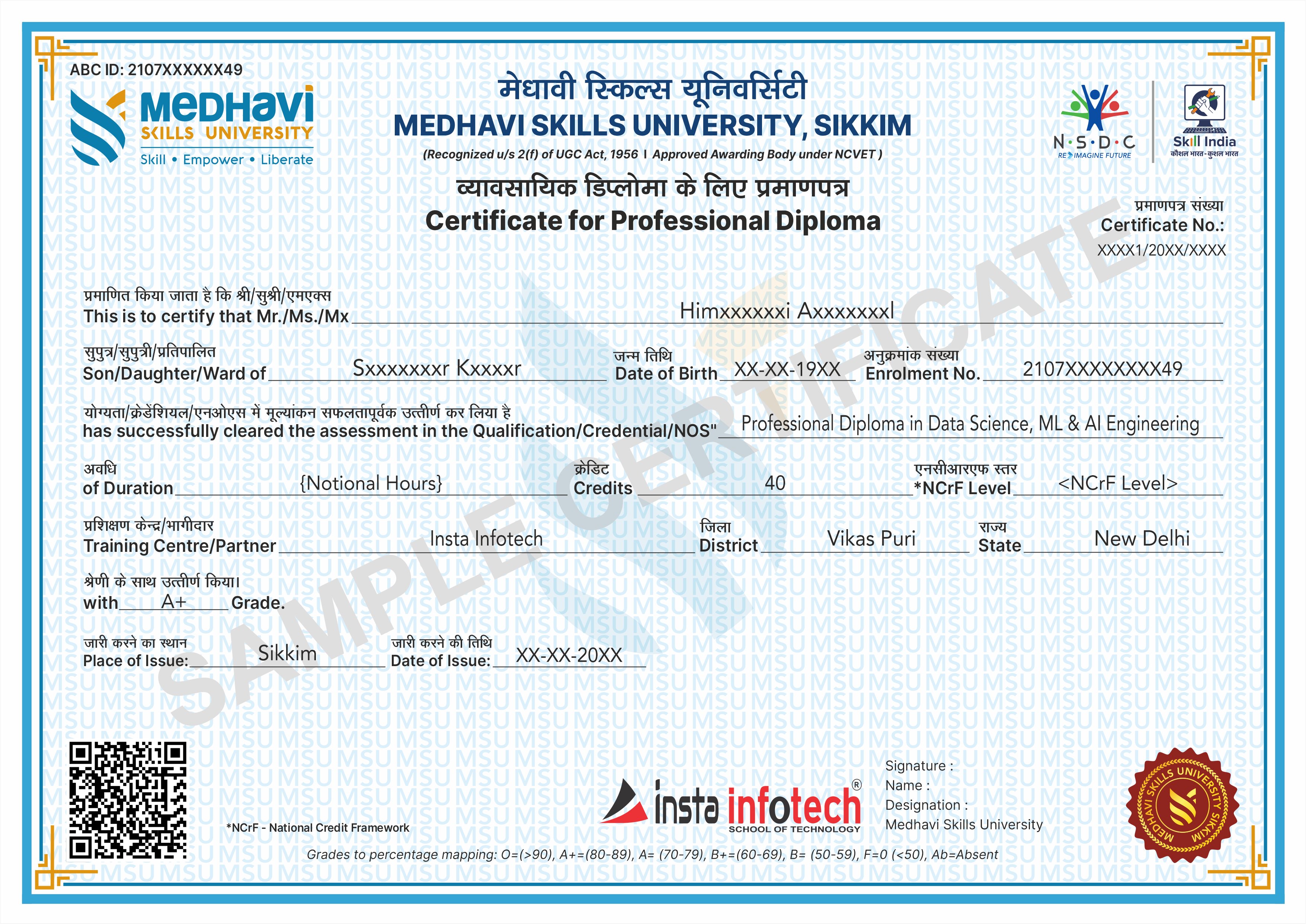
Professional Diploma Certificate

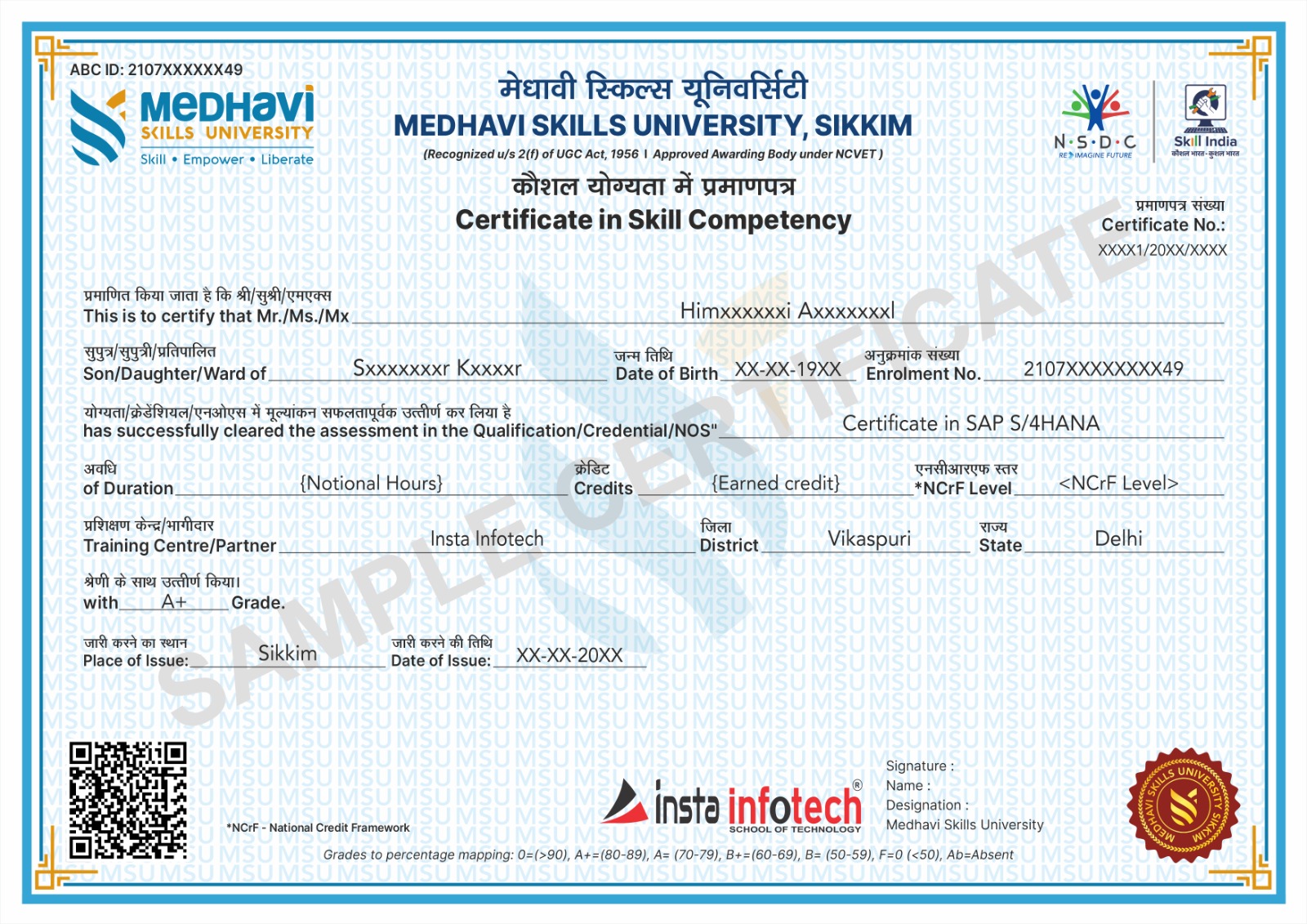
Skills Certificate

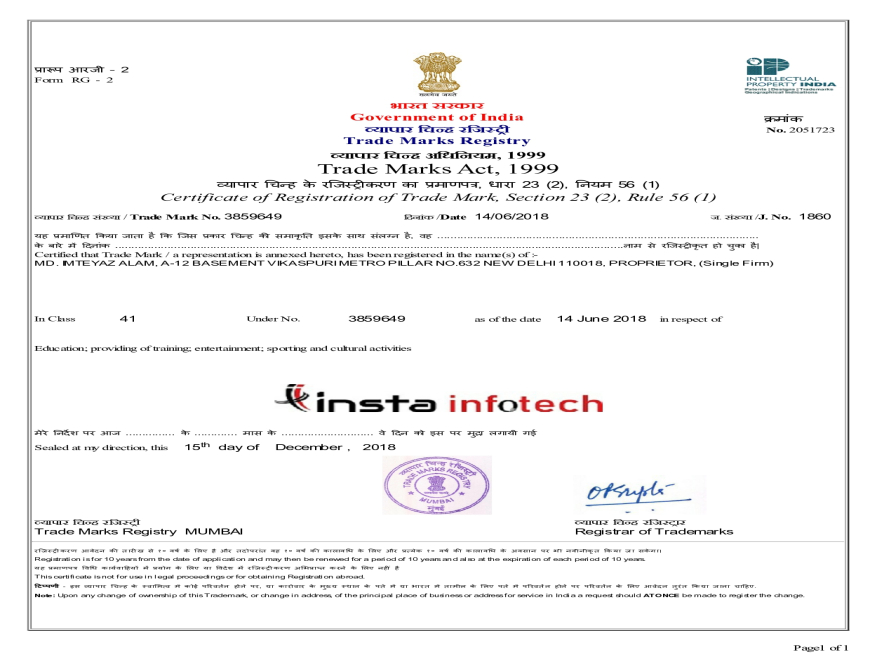
Brand Registration

Trust & Validation

UGC-Recognized Skilled Qualifications for the Modern Global Workforce

University Certification

Earn industry-relevant Certificates and Diplomas awarded by Medhavi Skills University, a UGC-recognized University. Insta Infotech is Approved Training Partner of Medhavi Skills University, ensuring quality education and credible certification.
Certificate Verification

All Certificates and Diplomas are digitally verifiable through Government of India platforms, including Skill India Digital Hub (MSDE), ABC.gov.in (Ministry of Education), and DigiLocker, ensuring authenticity and nationwide recognition.

Credit-Based Course (NCrF)

Our courses are aligned with the National Credit Framework (NCrF) under the National Education Policy (NEP) 2020. Learners earn academic credits that strengthen their skill-based education profile and can be seamlessly transferred toward higher education pathways.

Global Recognition
Global Recognition

NCrF-aligned skill credits are recognized across the UK, EU, and Australian education systems. Through MSU’s global partnerships, learners benefit from dual certification opportunities and accelerated pathways to international degree programs.

Skill India Mission
Skill India Mission

Insta Infotech empowers learners with future-ready skills. Backed by the Skill India Mission and our academic partnership with Medhavi Skills University, we bridge the gap between education and employment through practical, hands-on learning and nationally recognized certifications.

Placement Support
Placement Support

Quality Skill Education — this is not merely a certificate of attendance, but a verified academic credential that enhances credibility and opens opportunities across MNCs, embassies, and government sectors.

Specializations

Skilled, Qualification, Certification

Course Credibility

Course Credibility

Our programs are certified by a recognized university, ensuring legal authenticity, academic validity, and strong professional acceptance. This means your qualification carries real value for employment, career advancement, and higher education.

Employability

Employability

Our programs combine practical training, real-world projects, and industry-relevant skills to prepare students for immediate employment. we ensure learners confidently transition from education to professional careers.

Global Standards

Global Standards

Our programs follow internationally aligned curricula and current industry requirements, ensuring learners gain globally relevant knowledge, practical competencies, and professional practices. This prepares students to adapt, compete, and work confidently.

National Alignment (Skill India)

National Alignment (Skill India)

Aligned with the Skill India Mission, we transform vocational training into a nationally recognized qualification, enabling our students to become part of India’s formal skilled workforce.

Academic Mobility (Credit-Based)

Academic Mobility (Credit-Based)

Through the National Credit Framework (NCrF), our courses are not merely extra-curricular; they are credit-earning modules that contribute directly toward your formal higher education pathway.

NEP 2020 Integration

NEP 2020 Integration

Aligned with the National Education Policy 2020, we transform traditional IT education into a multidisciplinary, skilled-based vocational pathway that enables students to earn formal academic credits.

Our Blogs

Latest Blog Updates

SEO Training Having Great Future Insta Infotech

Internet marketing is now flourishing throughout the world. The widespread use of internet has increased the market of products and services online. This has again increased the demand of online marketers.

Read More

Skillful Website with Developing Standards

If you are planning to choose a career in IT, here you find the career scope in joining Web designing course in Delhi.

Read More

Connect IT Training Peaks

Insta infotech “Software And IT Training Institute” makes an instrument to meet the twin challenges of continuous improvement in IT demand for change

Read More

Pick up High-Level Programming Language Python

Python is a High-level programming language. Python programming can be used for Data Science, Network Programming Web Development, etc. Our training covers python as object Oriented, Python as Data structure, GUI, Database connection with Python. Python is famous language as machine learning, course focus on  learning from beginning to advanced level.

Read More

Specialize in RHCSA certified Professional

Insta Infotech certified candidates with RHCSA practice course with 200+ RHEL7 real-world problem scenarios covering all the exam. An RHCSA® certification is earned when an IT professional try the core system administration skills required in Red Hat Enterprise Linux environments. To become an RHCSA certified, you need to pass the EX200 exam. Only this course has the up to date simulated tests questions, where all questions are carefully scrutinized by real Linux certified professionals.

Read More

Start Your Career As SEO Expert

Search Engine Optimization is one of the essential method you can make use of, attaining more higher rankings but also for running effective Search Engine Optimization campaigns.Today building a career in website development standards is the prime focus on all SEO methods, and also if it's not appropriately implemented. Professional and practical SEO courses in Delhi works on Live Projects that can provide you long-term gains in a shorter period.

Read More

Transform Your Career with Insta InfoTech - Premier IT Training Institute

Join Insta InfoTech for cutting-edge IT training programs designed to boost your skills and career prospects. Offering expert-led Courses in Software Development, Data Science, Cybersecurity, and more.

00+

Trained Students

00+

Years of Experience

00+

Countries Represented

00x7

Support

Insta Infotech

What We Offer

At Insta Infotech, we specialize in a wide array of courses across domains like:

Programming Languages: Java, Python, C++, .NET, and more. Data Science & Analytics: Machine Learning, AI, Big Data. Cloud Computing & DevOps: AWS, Azure, Docker, Kubernetes. Cybersecurity: Ethical Hacking, Network Security. Digital Marketing: SEO, Social Media, Content Marketing. Database Management: SQL, PL/SQL, MongoDB, Oracle.
Enquire Now
Our learners work at