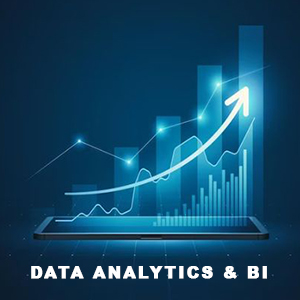
What Is Data Analytics? Roles, Skills, and Business Impact
Data analytics is the practice of cleaning, preparing, and analyzing data to uncover patterns, answer business questions, and support better decisions. It spans related disciplines such as data mining, machine learning, and business intelligence, but stays focused on turning existing data into clear, actionable insights for stakeholders.
Data Analyst vs. Data Scientist
- Data Analyst: Works primarily with historical and current data to explain what happened and why. Delivers dashboards, reports, and descriptive insights that guide day-to-day decisions.
- Data Scientist: Builds predictive and prescriptive models to estimate what will happen and what to do next. Uses advanced statistics and ML to create forecasting, recommendation, and optimization solutions.
Core Data Analytics Workflow
- Data Collection: Gather data from databases, files, APIs, and business systems.
- Data Cleaning & Preparation: Handle missing values, standardize formats, engineer features, and validate quality.
- Exploratory Analysis: Profile data, detect outliers, and identify trends, segments, and relationships.
- Modeling & Testing (as needed): Apply statistical methods or light ML to quantify patterns and test hypotheses.
- Visualization & Reporting: Present findings via dashboards and narratives tailored to business audiences.
- Decision Enablement: Translate insights into clear recommendations and measurable actions.
What a Data Analyst Typically Delivers
- Descriptive Statistics: Summaries (mean, median, variance), distributions, seasonality, and cohort views.
- From Unstructured to Structured: Transform logs, text, and semi-structured sources into analysis-ready tables.
- BI Reporting: Automated KPI dashboards, ad-hoc analyses, and stakeholder-ready presentations.
- Decision Support: Clear takeaways, trade-offs, and next steps aligned to business goals.
Must-Have Skills for Data Analysts
- Statistics Foundations: Descriptive stats, sampling, hypothesis testing, correlation, and basic inference.
- Data Systems: Strong SQL, understanding of schemas, joins, indexing, and query optimization basics.
- Data Modeling & Views: Create reliable data sets, marts, and views for consistent reporting.
- Visualization Literacy: Choose the right charts, design for clarity, and tell a concise data story.
- Business Context: Translate metrics into impact; align analyses with revenue, cost, risk, and CX outcomes.
- Quality & Governance: Validate sources, document assumptions, and ensure reproducibility.
Where Data Analytics Fits
- Level-Setting: Often considered the essential, applied layer of data science—closest to operations and decision-makers.

- Scalability: Integrates with BI tools and light ML to scale insights across teams and processes.

- Business Value: Reduces uncertainty, improves forecasting accuracy, and speeds up decision cycles.

Bottom line: Data analytics turns raw data into trustworthy insights and clear recommendations, enabling faster, smarter, and more confident business decisions.