All Courses

Master 3ds Max Training at Insta InfoTech - Become a Pro in 3D Modeling and Animation

Insta InfoTech offers comprehensive 3ds Max training designed to help you master 3D modeling, animation, and rendering. Whether you're a beginner or a professional looking to upgrade your skills, our expert-led course covers everything from basic tools to advanced techniques. With hands-on projects and industry-relevant curriculum, you'll gain the expertise needed to create stunning 3D designs and animations. 

3ds Max
3ds Max Training - Model, Animate, and Render with Production-Ready Skills

Autodesk 3ds Max is a professional application for 3D modeling, animation, and rendering used to build detailed assets, cinematic visuals, and interactive environments for entertainment, architecture, and product design. It excels at polygon and spline workflows, precision modeling, and high-quality rendering for films, games, archviz, and engineering visualization.

Why Choose 3ds Max at Insta InfoTech?

Insta InfoTech delivers a project-based 3ds Max program tailored for aspiring 3D designers, architects, game artists, and animators. The curriculum spans fundamentals to advanced workflows, so learners can design, texture, light, animate, and render with industry standards and portfolio-grade results.

Key Training Features
  • Expert Mentorship: Learn from practitioners with real production experience in modeling, animation, and visualization.
  • Hands-On Projects: Build assets and scenes end-to-end, iterate with feedback, and follow a studio-style pipeline.
  • Advanced Techniques: Master hard-surface and organic modeling, UVs and PBR texturing, rigging, and lighting for realism.
  • Job-Focused Curriculum: Specialized tracks for archviz, game assets, VFX pre-viz, and product rendering.
  • Certification & Placement: Course certificate, portfolio guidance, and interview preparation.
What You Will Learn
  • 3ds Max Foundations: Interface, scene organization, transforms, pivots, layers, and the modifier stack.
  • 3D Modeling: Polygon modeling, subdivision and retopo basics, spline/NURBS methods, kitbashing, and Boolean workflows.
  • UVs & Materials: Clean UV unwrapping, texture baking, material editors, and PBR setups for realistic surfaces.
  • Lighting & Rendering: Physical lights, HDRI, exposure, and rendering with Arnold; passes/AOVs and denoising.
  • Animation & Rigging: Keyframing, curves, constraints, character rigging fundamentals, and physics-based effects.
  • FX & Simulation: Particles, forces, cloth and simple fluids; pre-viz techniques for VFX and cinematics.
  • Pipelines & Export: Scene optimization, asset naming, LODs, and exporting to DCC/game engines (e.g., FBX, glTF, USD).
Industry Use Cases
  • Architectural Visualization: Exterior/interior modeling, materials that match specs, daylight studies, and cinematic walkthroughs.
  • Game Art: Clean topology, UVs, texture baking, and optimized meshes ready for engines.
  • Animation & VFX: Pre-viz, shot layout, character animation, lighting, and render passes for compositing.
  • Product Design: High-fidelity models, look-dev, and photoreal renders for marketing and reviews.
Who Can Join?
  • Students & Beginners: Start a career in 3D with structured, practical training.
  • Architects & Interior Designers: Create accurate, compelling visualizations for clients and stakeholders.
  • Game Developers & Animators: Build production-ready assets and sequences for real-time or offline pipelines.
  • Graphic Designers & Engineers: Expand into 3D modeling, rendering, and motion for richer presentations.
Why Insta InfoTech?
  • Live, project-driven training with reviews and iteration cycles.
  • Portfolio-oriented assignments that demonstrate end-to-end capability.
  • Industry-recognized certification and placement assistance.
  • Guidance on hardware, render optimization, and asset management best practices.

Outcome: Graduate with a polished portfolio of 3D models, animations, and photoreal renders ready to present to studios, architecture firms, game teams, and creative agencies.
  • Touring the Interface
  • Getting to Know the Command Panel
  • Working with Objects & Transforming Objects
  • Copying an Object
  • Understanding the Perspective Viewing Tools
  • Using Multiple Viewports

  • Understanding Standard Primitives
  • Adjusting & Accessing Objects' Parameters
  • Modelling Standard Primitives with Modifiers
  • Using the Modifier Stack Tools
  • Making Clones That Share Properties
  • Using Various Modifiers
  • Understanding Extended Primitives
  • Working with Groups.

  • Drawing using Splines
  • Lathing a Spline
  • Modifying a Shape Using Sub-Object Levels
  • Flipping Surface Normal
  • Creating Thickness with a Spline
  • Combining and Extruding Splines
  • Introducing Other Spline Types
  • Editing Splines

  • Polygon Modelling Techniques
  • Using Dynamic Edges Modelling Tools
  • Creating buildings using modifiers

  • Importing AutoCAD Plans into 3ds Max
  • Extruding the Walls.
  • Setting height & width & alignments

  • Creating a Parametric Wall
  • Adjusting the Wall's Parameters
  • Adding Doors and Windows to Walls
  • Creating a Parametric Window
  • Creating Stairs & Creating Foliage

  • Naming Objects
  • Organizing Objects by Layers
  • Setting Up Layers
  • Assigning Objects to Layers
  • Assigning Color to Layers
  • Lofting an Object
  • Lofting a Shape Along a Path
  • Using Different Shapes Along the Loft Path

  • Naming Objects
  • Organizing Objects by Layers
  • Setting Up Layers
  • Assigning Objects to Layers
  • Assigning Color to Layers
  • Lofting an Object
  • Lofting a Shape Along a Path
  • Using Different Shapes Along the Loft Path

  • Understanding Bitmap Texture Maps
  • Diffuse Color Maps
  • Understanding Surface Properties
  • Adding Materials to Objects
  • Understanding Material Libraries
  • Editing Materials
  • Using Bump Maps
  • Understanding Mapping Coordinates
  • Adjusting the UVW Mapping Gizmo
  • Assigning Materials to Parts of an Object
  • Creating a Multi/Sub-Object Material

  • Understanding the 3ds Max Camera
  • Adding a Camera
  • Editing the Camera Location with the Viewport Tools
  • Setting Up an Interior View
  • Creating an Environment
  • Working with Walkthrough-Assistant

  • Using Animation controls
  • Using Keyframe animation
  • Bouncing a Ball
  • Adding Camera Motion & Camera Path
  • Creating Preview Animation
  • Compressing and Expanding Time
  • Rendering the Animation

  • Understanding Mental Ray
  • Understanding Global Illumination
  • Understanding Final Gather
  • Assigning the Mental Ray Renderer
  • Using the Rendered Frame Window Controls

  • Understanding Autodesk materials
  • Understanding Arch & Design materials
  • Creating various materials

  • Improving Rendering Quality
  • Rendering an Exterior Scene
  • Rendering an Interior Scene

  • What is VRay and how to setup VRay
  • VRay Image Saving Options
  • Environmental Lighting

  • Irradiance Map
  • Light Cache
  • Quasi Monte Carlo/Brute Force
  • Environmental Lighting

  • V RayLight
  • VRayAmbient Light
  • VRayIES
  • VRay Sun

  • VRayDomeCame
  • VRayPhysicaCa
  • Shutter Speed

  • VRay2SidedMtl
  • VRayMtl
  • VRayFastSSS2
  • VRayMtIWrapper

  • Rendering an interior scene using V-Ray
  • Rendering an exterior scene using V-Ray
  • Differentiate Renderer
  • Identify rendering parameters Setting
  • Rendering according to Projects

Send Me Message

Trust & Validation

UGC-Recognized Skilled Qualifications for the Modern Global Workforce

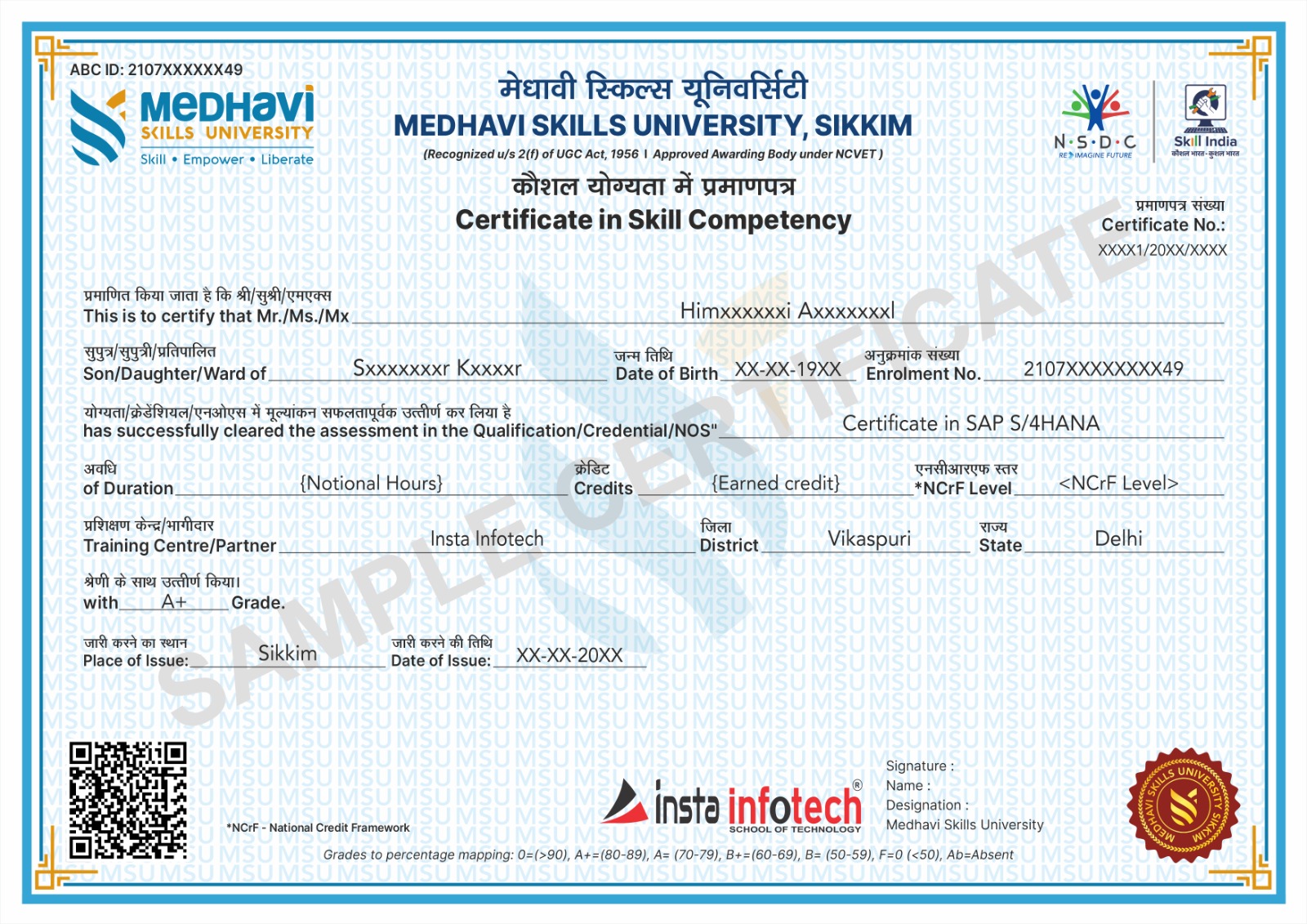
University Certification

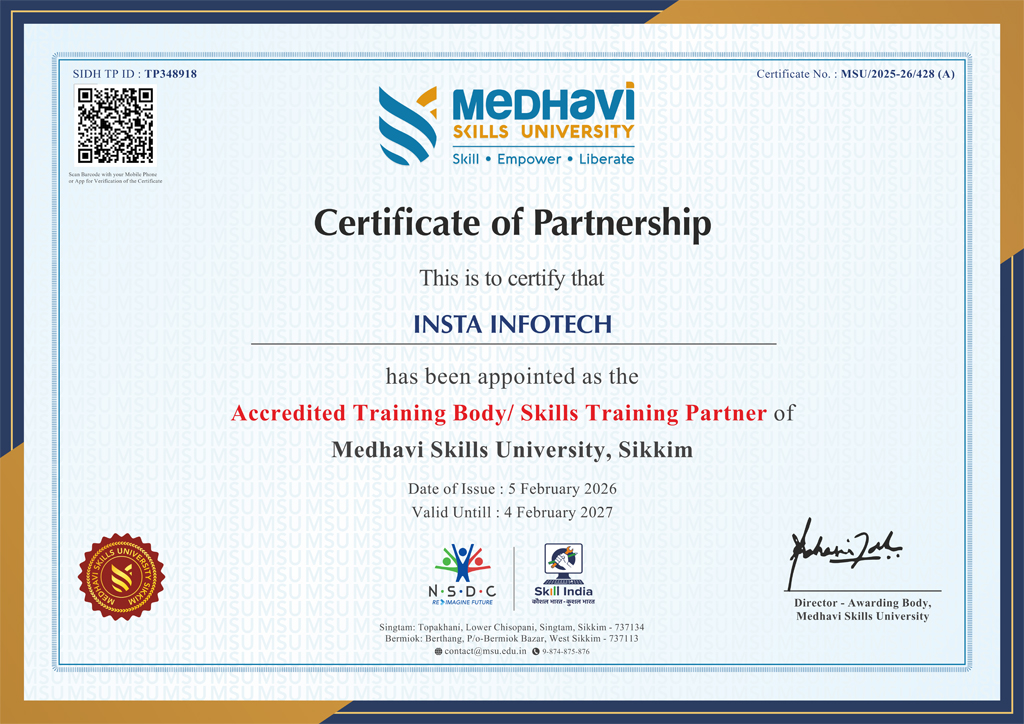
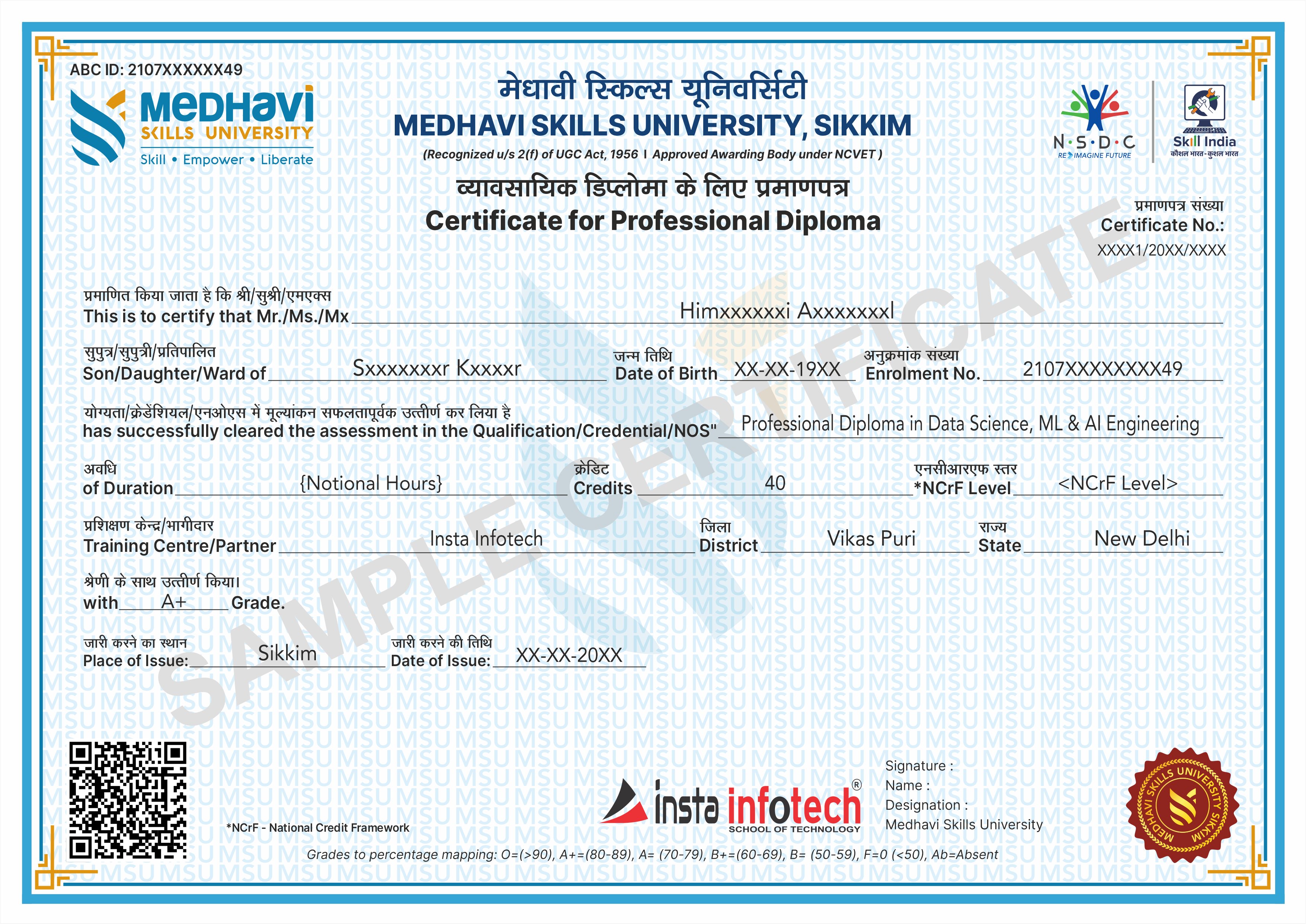
Earn industry-relevant Certificates and Diplomas awarded by Medhavi Skills University, a UGC-recognized University. Insta Infotech is Approved Training Partner of Medhavi Skills University, ensuring quality education and credible certification.

Certificate Verification

All Certificates and Diplomas are digitally verifiable through Government of India platforms, including Skill India Digital Hub (MSDE), ABC.gov.in (Ministry of Education), and DigiLocker, ensuring authenticity and nationwide recognition.

Credit-Based Course (NCrF)

Our courses are aligned with the National Credit Framework (NCrF) under the National Education Policy (NEP) 2020. Learners earn academic credits that strengthen their skill-based education profile and can be seamlessly transferred toward higher education pathways.

Global Recognition
Global Recognition

NCrF-aligned skill credits are recognized across the UK, EU, and Australian education systems. Through MSU’s global partnerships, learners benefit from dual certification opportunities and accelerated pathways to international degree programs.

Skill India Mission
Skill India Mission

Insta Infotech empowers learners with future-ready skills. Backed by the Skill India Mission and our academic partnership with Medhavi Skills University, we bridge the gap between education and employment through practical, hands-on learning and nationally recognized certifications.

Placement Support
Placement Support

Quality Skill Education — this is not merely a certificate of attendance, but a verified academic credential that enhances credibility and opens opportunities across MNCs, embassies, and government sectors.

Specializations

Skilled, Qualification, Certification

Course Credibility

Course Credibility

Our programs are certified by a recognized university, ensuring legal authenticity, academic validity, and strong professional acceptance. This means your qualification carries real value for employment, career advancement, and higher education.

Employability

Employability

Our programs combine practical training, real-world projects, and industry-relevant skills to prepare students for immediate employment. we ensure learners confidently transition from education to professional careers.

Global Standards

Global Standards

Our programs follow internationally aligned curricula and current industry requirements, ensuring learners gain globally relevant knowledge, practical competencies, and professional practices. This prepares students to adapt, compete, and work confidently.
National Alignment (Skill India)

National Alignment (Skill India)

Aligned with the Skill India Mission, we transform vocational training into a nationally recognized qualification, enabling our students to become part of India’s formal skilled workforce.

Academic Mobility (Credit-Based)

Academic Mobility (Credit-Based)

Through the National Credit Framework (NCrF), our courses are not merely extra-curricular; they are credit-earning modules that contribute directly toward your formal higher education pathway.

NEP 2020 Integration

NEP 2020 Integration

Aligned with the National Education Policy 2020, we transform traditional IT education into a multidisciplinary, skilled-based vocational pathway that enables students to earn formal academic credits.

Our Blogs

Latest Blog Updates

SEO Training Having Great Future Insta Infotech

Internet marketing is now flourishing throughout the world. The widespread use of internet has increased the market of products and services online. This has again increased the demand of online marketers.

Read More

Skillful Website with Developing Standards

If you are planning to choose a career in IT, here you find the career scope in joining Web designing course in Delhi.

Read More

Connect IT Training Peaks

Insta infotech “Software And IT Training Institute” makes an instrument to meet the twin challenges of continuous improvement in IT demand for change

Read More

Pick up High-Level Programming Language Python

Python is a High-level programming language. Python programming can be used for Data Science, Network Programming Web Development, etc. Our training covers python as object Oriented, Python as Data structure, GUI, Database connection with Python. Python is famous language as machine learning, course focus on  learning from beginning to advanced level.

Read More

Specialize in RHCSA certified Professional

Insta Infotech certified candidates with RHCSA practice course with 200+ RHEL7 real-world problem scenarios covering all the exam. An RHCSA® certification is earned when an IT professional try the core system administration skills required in Red Hat Enterprise Linux environments. To become an RHCSA certified, you need to pass the EX200 exam. Only this course has the up to date simulated tests questions, where all questions are carefully scrutinized by real Linux certified professionals.

Read More

Start Your Career As SEO Expert

Search Engine Optimization is one of the essential method you can make use of, attaining more higher rankings but also for running effective Search Engine Optimization campaigns.Today building a career in website development standards is the prime focus on all SEO methods, and also if it's not appropriately implemented. Professional and practical SEO courses in Delhi works on Live Projects that can provide you long-term gains in a shorter period.

Read More

Transform Your Career with Insta InfoTech - Premier IT Training Institute

Join Insta InfoTech for cutting-edge IT training programs designed to boost your skills and career prospects. Offering expert-led Courses in Software Development, Data Science, Cybersecurity, and more.

00+

Trained Students

00+

Years of Experience

00+

Countries Represented

00x7

Support

Insta Infotech

What We Offer

At Insta Infotech, we specialize in a wide array of courses across domains like:

Programming Languages: Java, Python, C++, .NET, and more. Data Science & Analytics: Machine Learning, AI, Big Data. Cloud Computing & DevOps: AWS, Azure, Docker, Kubernetes. Cybersecurity: Ethical Hacking, Network Security. Digital Marketing: SEO, Social Media, Content Marketing. Database Management: SQL, PL/SQL, MongoDB, Oracle.
Enquire Now
Our learners work at