All Courses

Data Analytics with Python – Master Data Analysis, Visualisation & Business Insights

Unlock the power of data with Insta InfoTech®’s Data Analytics with Python Training, a comprehensive program designed to help you master Data Analysis, Data Visualization, and Business Insights using Python. This course covers everything from Python basics to advanced techniques, including Data Manipulation, Exploratory Data Analysis (EDA), Statistical Analysis, and Data Visualization with libraries like Pandas, NumPy, Matplotlib, and Seaborn. Whether you're a beginner or a professional, this training will prepare you for high-demand roles like Data Analyst, Business Analyst, and Data Scientist. Earn a recognized Data Analytics Certification and elevate your career in the data-driven world.


Data Analytics with python
Data Analytics with Python — Learn, Analyze, and Deliver Business Insights
  • Python Basics: Build a solid foundation for analytics with data types, loops, conditionals, and functions.
  • Data Manipulation: Master Pandas and NumPy to clean, transform, merge, and aggregate datasets with confidence.
  • Exploratory Data Analysis (EDA): Detect trends, outliers, correlations, and patterns to uncover actionable insights.
  • Data Visualization: Create clear, compelling visuals and mini-dashboards using Matplotlib and Seaborn.
  • Statistical Analysis: Apply descriptive stats, hypothesis testing, and correlation analysis to support decisions.
  • Real-World Applications: Deliver projects in Data Analysis, Business Insights, and Visualization to showcase job-ready skills.
  • Certification: Earn a recognized Data Analytics Certification to validate your expertise.
  • Master Python for Data Analytics: Learn the core syntax and workflows used in Data Analysis and Visualization.
  • Data Manipulation & Cleaning: Handle missing values, reshape tables, and prepare analysis-ready data with Pandas and NumPy.
  • Exploratory Data Analysis (EDA): Use profiling, grouping, and filtering to surface patterns that matter.
  • Data Visualization: Present insights with line, bar, scatter, heatmap, and distribution plots.
  • Statistical Analysis: Turn findings into evidence with practical statistical techniques.
  • Real-World Projects: Solve end-to-end business problems to build a strong portfolio.
  • Certification: Receive a Data Analytics Certification upon successful completion.
Why Choose Insta InfoTech®?
  • Expert trainers with practical experience in Data Analytics and Python Programming.
  • Hands-on, project-based learning with real datasets and case studies.
  • Flexible learning modes: online and classroom.
  • Placement assistance for roles like Data Analyst, Business Analyst, and Data Scientist.
  • Lifetime access to materials and ongoing support.
Who Should Enroll?
  • Aspiring Data Analysts and Business Analysts.
  • IT professionals upskilling in Data Analytics and Python.
  • Graduates targeting careers in Data Analysis and Business Insights.
  • Anyone keen to master Data Visualization and Statistical Analysis with Python.
Job Opportunities

After completing Data Analytics with Python Training, you’ll be ready for roles such as:

  • Data Analyst: Analyze, interpret, and present data to inform decisions.
  • Business Analyst: Translate insights into strategies and process improvements.
  • Data Scientist (Entry-Level): Apply analytics and foundational ML to solve business problems.
  • Data Visualization Specialist: Communicate insights through impactful visuals and dashboards.
  • Reporting Analyst: Build and maintain automated reports for stakeholders.
Transform Your Career Today!

Join Insta InfoTech®’s Data Analytics with Python Training to analyze, visualize, and interpret data with confidence—and unlock high-demand opportunities in today’s analytics-driven market.

Excel Functions
  • Basic Excel Function
  • Mathematical Functions
  • Logical Functions
  • Text Functions
  • Statistical Functional
  • Relation Based Functions
  • Financial Functions
  • Date-Time Functions
Advance Paste Special Techniques
  • Paste Formulas, Paste Formats
  • Transpose Tables
  • Paste Validations
Pivot Tables & Pivot Chart – Advance
  • Creating Simple & Classic Pivot table
  • Basic and Advanced Value Field Setting
  • Calculated Field & Calculated Items
  • Grouping based on numbers and Dates
Advanced Level Lookup Formulas
  • Vlookup with Match, Hlookup with Match.
  • Lookup from the Left,Mid & Right Side of Data. (Lookup, Index and Match)
  • Vlookup & Hlookup with Multiple Text Functions.
  • Creating Smooth user Interface Using lookup
Magic With Array Formulas:
  • What are the Array Formulas, Use of the Array Formulas?
  • Advanced Use of formulas with Array &Lookup functions.
Advanced Conditional Formatting and Filtering
  • Apply Auto-Formatting & Conditional Formatting with Custom Data Formats and Validation
  • Create custom conditional formatting rules
  • Create conditional formatting rules that use formulas
  • Manage conditional formatting rules
Define Named Ranges and Objects
  • Manage Name cells & Name data ranges
  • Name tables and Manage named ranges and objects.
Referencing Formulas
  • Absolute Referencing/ Relative Cell Referencing
  • Consolidating Data - With or Without Links
  • Trace the Precedents and Dependents
Adding Charts,Graphics to Worksheet
  • Work with Chart Styles,Layouts, Add Labels,Axis Options,Chart Title, Legends, Data-Labels
  • Insert & Modifying Pictures, Group and Ungroup Data
Collaboration With Internal Or External Worksheets
  • Manage Document Properties, Sharing a Workbook, Track Changes, Accept/Reject Changes,
  • Mark as Final , Setting Printing Area with Margins, Headers and Footers & Scaling.
  • AutoRecover Save Options, Save As Web Page & Protecting Workbooks
Formatting, Data linking and Proofing
  • Object Linking and Embedding & Hyper linking data, within sheet / workbook
  • Linking & Updating links between workbooks & application
  • Creating / Working with an Automatic / Manual Outline
Importing & Exporting Data
  • Importing & Exporting Data from Database / Text Files / Web
  • Changing External Data Range
Protecting Excel- Excel Security
  • File Level Protection
  • Workbook, Worksheet Protection

Preparation of the Dashboards
  • Different kinds of advanced-level dashboards
  • Use formulas like OFFSET, MATCH, SUMIF, SUMIFS & many more to prepare the dashboards
  • Use of Data Validation in charting
  • Use of Sparkline in your sheet, interactive sparklines
  • Working with 2-axis and 3-axis charts
Excel Dashboard - Planning & Processing
  • Planning a Dashboard
  • Adding Dynamic Contents to Dashboard
  • Adding Tables and Charts to Dashboard
Slicers and Charts
  • Using SLICERS, Filter data with Slicers
  • Various Charts i.e. Bar Charts / Pie Charts / Line Charts
  • Manage Primary and Secondary Axis
Complex Charting
  • Being able to choose the appropriate type of chart for every occasion
  • Being able to integrate many charts into one
  • Utilize tools like conditional formatting charts and in-cell charts.
  • Being able to create dynamic and interactive charts
Data Reporting with Pivot Tables
  • Evaluate vast volumes of data with the help of Pivot tables and Data Reporting
  • Relationships, multiple-table pivots, grouping, slicers, measures (Power Pivot)
Worksheet / Workbook Operations Using Macro
  • Merge & Split Worksheets using Macro & VBA filters
  • Worksheet copiers
  • Merge multiple excel files into one-sheet
Pivot Table and Handling Of Errors In Excel
  • Split Pivot from the Multiple Source of Data using Multiple Field Setting in Pivot Table.
  • Split Pivot from the Multiple Data Ranges & Name Range.
  • Creating Groups, Insert additional Calculated Field in Pivot Table.
Start-up with Pivot Charts With Slicer
  • Insert slicer in Pivot Table and Pivot charts.
  • Discussion of Errors and handling of multiple Errors & Use of Tool “Error Checking”.
  • Removing Duplicates.
  • Trace Precedents, Trace Dependents.
Data Analysis & Data Reporting
  • Managing Extracts ManagingMetadata Visua lAn.a lytics
  • Data Granularity using Marks Card
  • Highlighting
  • Sorting. Filtering. Grouping
Visual Analytics
  • Graphical Visualization
  • Forecasting Clustering Trend Lines.
  • Reference Lines. Parameters
Dashboard & Stories
  • Introduct on to Dashboard. Creatinga Dashboard Layout. DesigningDashboard for Devices.
  • Dashboard Interaction - Using Action.
  • Introduct on to Story Point.
Mapping & Publishing Report
  • Introduct on to Maps.
  • Editing Unrecognized Locations. Custom Geocoding.
  • Polygon Maps.
  • Web Mapping Services . Background Images
  • Sharing & Publishing Reports to BI Teams or Clients.

Introduction to MySQL
  • What is a database and why do we need SQL?
  • Create a link to Excel spreadsheet with MySQL
  • Client/Server Concepts
  • Database models & ER Model
Database and Database Objects
  • Import/Export
  • Tools for Import/Export Data
  • Restore database in SQL
  • A Data Generating Procedure
Data Definition using SQL
  • Databases
  • Data Types
  • Tables
  • Primary Keys
  • Null values and Not Null Values
  • Auto Increment
  • Basics Queries
  • Removing Duplicates
  • Data Filters Using Operators
  • Data Sorting
  • Constraints and Indexes
  • Views
Basic Data Manipulation using SQL
  • Recurring SQL Constructs
  • Adding data / Modifying data / Removing data / Searching data
Advanced Data Manipulation using SQL
  • Expressions for Grouping and Aggregate Functions
  • Joining Tables
Create Query
  • Use the WHERE clause
  • Conditional statements
  • Multiple conditions with Comparison Operators
  • Logic Values
  • Null Values
  • Compare Column Values
  • Advanced Queries
  • Distinct Values
Joins
  • Inner Join
  • Left Join
  • Full Outer Join
  • Filtering Grouped Data
  • Summarize Group Data
  • Pivot and Unpivot Operators
User Defined Functions
  • Functions vs Procedures
  • User-Defined Functions
MySQL Admin
  • Install and configure MySQL Server and client programs
  • Recognize the key components of the MySQL architecture
  • Secure your server
  • Improve query performance
  • Understand the benefits of MySQL Cloud

Overview To Python
  • What is Python
  • Why do we need PYTHON
  • Features – Dynamic, Interpreted, Object-oriented, Standard libraries, Open source
  • Python Different Versions & Comparison With other languages like C/C++, Java etc.
Introduction Of Python
  • Why Python for Data Analysis?
  • How to install Python and Set Virtual Environment in IDLE
  • Variable Declaration and Memory Allocation
  • Built in Data Types and Type Casting
  • Python Operators
Python Language Fundamentals
  • Data-types and Variables
  • Constants / Literals , Keywords, Identifiers, Python Syntax
Basic Operators In Python
  • Types of Operator
  • Python Arithmetic, Comparison and Python Assignment Operators
  • Python Bitwise, Logical Operators and Python Relation-Based Operators
Python Conditional Loop
  • Python Conditional Statements — IF…Else, ELIF & Switch Case
  • Python Looping statements — While, For Loop, Nested Loop, For-each Loop
  • Python Control Statements Break, Continue, Pass statements
Function
  • What is Function
  • Python Maths Operations Functions.
  • Python String & String Manipulations Functions.
  • Python Date Functions.
List Collection
  • What is List and Need of List collection
  • Processing elements of List through Indexing and Slicing
  • List object methods and Basic List Operations
  • Built-in List Functions & Methods
Tuple Collection
  • What is tuple
  • Method of Tuple object
  • List v/s Tuple
  • Built-in Tuple Functions
Set Collection
  • What is set
  • Difference between list and set
  • Union of sets and Difference and Intersection in set
  • What is dictionary
  • Difference between list, set, and dictionary
  • Accessing & Copying and Updating dictionary
  • Reading keys, Values, and items from Dictionary
  • Python Dictionary Functions and methods

Python Numpy Programming
  • Numerical Python - Data Wrangling, Statistics and Linear Algebra
  • NumPy - Implementation & Installation of NumPy
  • NumPy - Ndarray Object
  • NumPy - numpy 2d,3d Array Attributes
  • NumPy - Array Creation Matrix
  • NumPy - Array from Numerical Ranges
  • NumPy - Advanced Indexing 2d, 3d, 4d ..... Matrix Arrays
  • NumPy - Advanced Slicing
  • NumPy – Numpy Operations on Arrays
  • NumPy - Iterating over Array
  • NumPy - Reshaping Arrays
  • NumPy - Splitting Arrays
  • NumPy - String Functions
  • NumPy - Mathematical & Arithmetic Operations
  • NumPy - Statistical Operations on Arrays
  • NumPy - Sort, Search & Counting Functions
  • NumPy - Copies & Views
  • NumPy - Matrix Library
Pandas For Data Analysis In Python
  • Pandas - Python Panel Data Analysis System for Data Manipulation & Analysis
  • Introduction to Pandas & How to Install Python Pandas
  • import data using Pandas
  • Working with CSV and Excel files
  • Read data into Python
  • write data using Pandas
  • Select columns and rows in Pandas
  • Manipulate columns in Pandas
  • Rename columns, sort data & Combining Data in Pandas dataframe
  • Merge and join multiple Pandas dataframes
  • Correlations & Plotting
Matplotlib: Visualization With Python
  • Matplotlib Cross platform, Data Visualization and Graphical Plotting Library.
  • Installation of Matplotlib
  • Import Matplotlib
  • Checking Matplotlib Version
  • Load datasets into csv, text files
  • Creating Different Types of Plots (line-chart, bar-graph, etc.)
  • Formatting the style of your plot
  • Customize visual style and layout.
  • Setting the Plot Title and Axis Labels
  • Setting Axis Limits
  • Saving Plots
Preparing Interview Questions
  • Realted to Data Analysis process, Dataset generation, Importing Dataset
  • Data, Basic Insights from Dataset.

Send Me Message

Trust & Validation

UGC-Recognized Skilled Qualifications for the Modern Global Workforce

University Certification

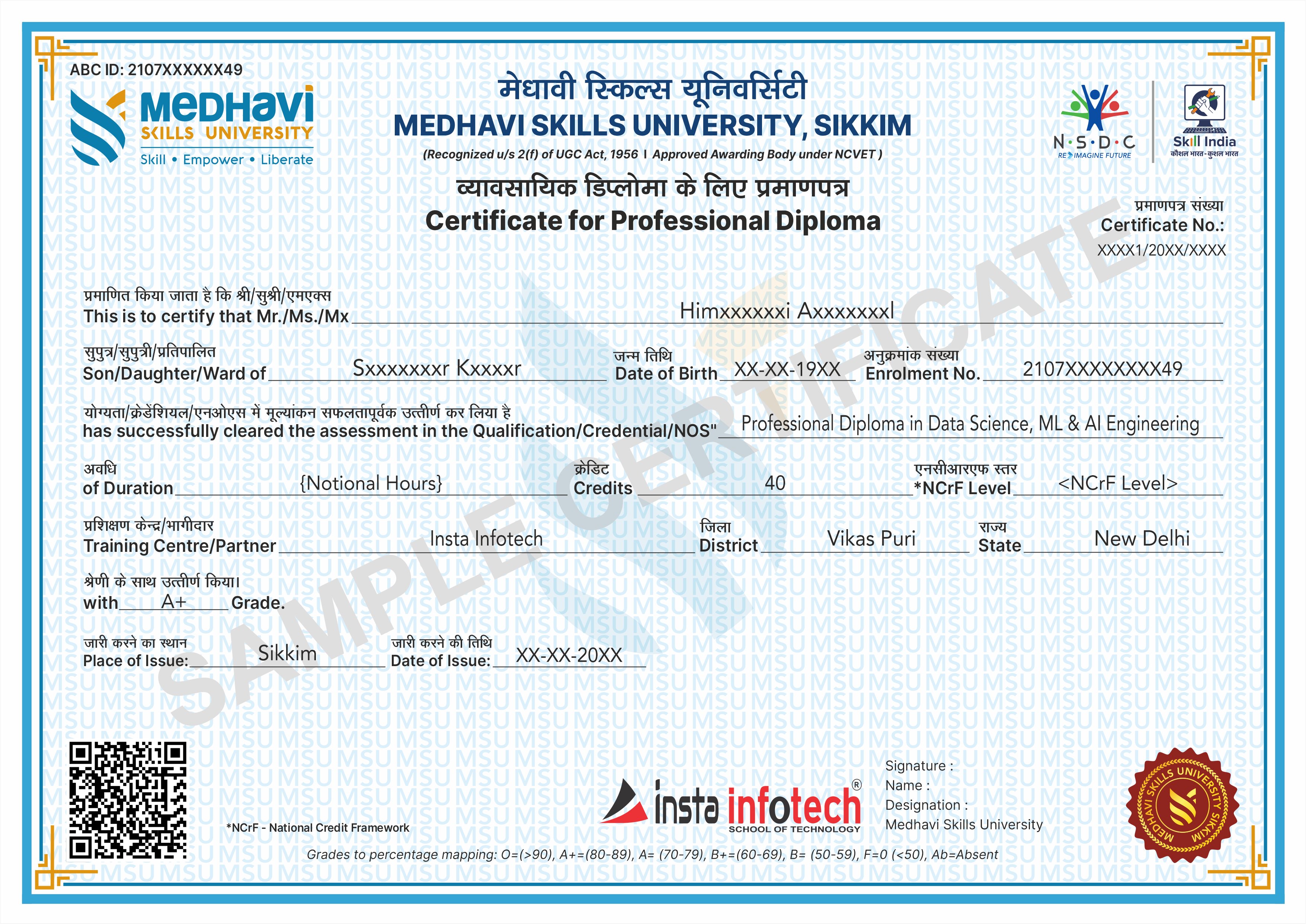
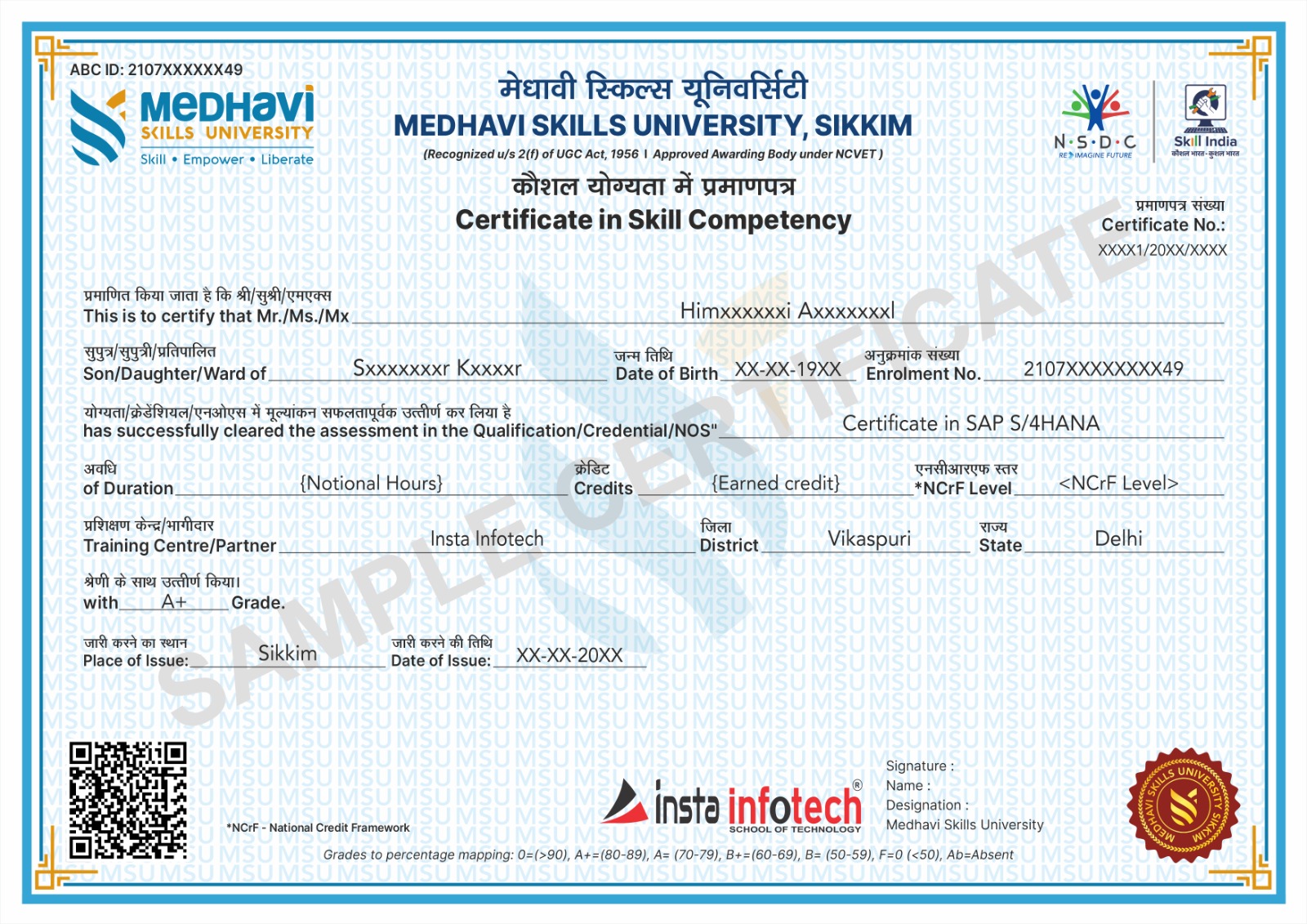
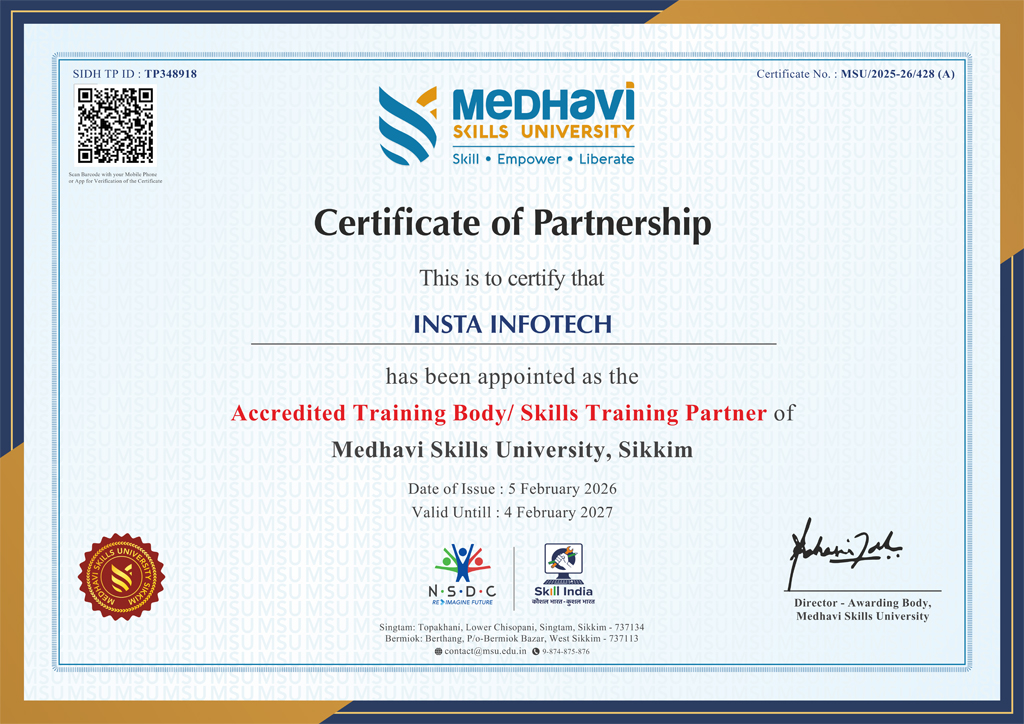
Earn industry-relevant Certificates and Diplomas awarded by Medhavi Skills University, a UGC-recognized University. Insta Infotech is Approved Training Partner of Medhavi Skills University, ensuring quality education and credible certification.

Certificate Verification

All Certificates and Diplomas are digitally verifiable through Government of India platforms, including Skill India Digital Hub (MSDE), ABC.gov.in (Ministry of Education), and DigiLocker, ensuring authenticity and nationwide recognition.

Credit-Based Course (NCrF)

Our courses are aligned with the National Credit Framework (NCrF) under the National Education Policy (NEP) 2020. Learners earn academic credits that strengthen their skill-based education profile and can be seamlessly transferred toward higher education pathways.

Global Recognition
Global Recognition

NCrF-aligned skill credits are recognized across the UK, EU, and Australian education systems. Through MSU’s global partnerships, learners benefit from dual certification opportunities and accelerated pathways to international degree programs.

Skill India Mission
Skill India Mission

Insta Infotech empowers learners with future-ready skills. Backed by the Skill India Mission and our academic partnership with Medhavi Skills University, we bridge the gap between education and employment through practical, hands-on learning and nationally recognized certifications.

Placement Support
Placement Support

Quality Skill Education — this is not merely a certificate of attendance, but a verified academic credential that enhances credibility and opens opportunities across MNCs, embassies, and government sectors.

Specializations

Skilled, Qualification, Certification

Course Credibility

Course Credibility

Our programs are certified by a recognized university, ensuring legal authenticity, academic validity, and strong professional acceptance. This means your qualification carries real value for employment, career advancement, and higher education.

Employability

Employability

Our programs combine practical training, real-world projects, and industry-relevant skills to prepare students for immediate employment. we ensure learners confidently transition from education to professional careers.

Global Standards

Global Standards

Our programs follow internationally aligned curricula and current industry requirements, ensuring learners gain globally relevant knowledge, practical competencies, and professional practices. This prepares students to adapt, compete, and work confidently.

National Alignment (Skill India)

National Alignment (Skill India)

Aligned with the Skill India Mission, we transform vocational training into a nationally recognized qualification, enabling our students to become part of India’s formal skilled workforce.

Academic Mobility (Credit-Based)

Academic Mobility (Credit-Based)

Through the National Credit Framework (NCrF), our courses are not merely extra-curricular; they are credit-earning modules that contribute directly toward your formal higher education pathway.

NEP 2020 Integration

NEP 2020 Integration

Aligned with the National Education Policy 2020, we transform traditional IT education into a multidisciplinary, skilled-based vocational pathway that enables students to earn formal academic credits.

Our Blogs

Latest Blog Updates

SEO Training Having Great Future Insta Infotech

Internet marketing is now flourishing throughout the world. The widespread use of internet has increased the market of products and services online. This has again increased the demand of online marketers.

Read More

Skillful Website with Developing Standards

If you are planning to choose a career in IT, here you find the career scope in joining Web designing course in Delhi.

Read More

Connect IT Training Peaks

Insta infotech “Software And IT Training Institute” makes an instrument to meet the twin challenges of continuous improvement in IT demand for change

Read More

Pick up High-Level Programming Language Python

Python is a High-level programming language. Python programming can be used for Data Science, Network Programming Web Development, etc. Our training covers python as object Oriented, Python as Data structure, GUI, Database connection with Python. Python is famous language as machine learning, course focus on  learning from beginning to advanced level.

Read More

Specialize in RHCSA certified Professional

Insta Infotech certified candidates with RHCSA practice course with 200+ RHEL7 real-world problem scenarios covering all the exam. An RHCSA® certification is earned when an IT professional try the core system administration skills required in Red Hat Enterprise Linux environments. To become an RHCSA certified, you need to pass the EX200 exam. Only this course has the up to date simulated tests questions, where all questions are carefully scrutinized by real Linux certified professionals.

Read More

Start Your Career As SEO Expert

Search Engine Optimization is one of the essential method you can make use of, attaining more higher rankings but also for running effective Search Engine Optimization campaigns.Today building a career in website development standards is the prime focus on all SEO methods, and also if it's not appropriately implemented. Professional and practical SEO courses in Delhi works on Live Projects that can provide you long-term gains in a shorter period.

Read More

Transform Your Career with Insta InfoTech - Premier IT Training Institute

Join Insta InfoTech for cutting-edge IT training programs designed to boost your skills and career prospects. Offering expert-led Courses in Software Development, Data Science, Cybersecurity, and more.

00+

Trained Students

00+

Years of Experience

00+

Countries Represented

00x7

Support

Insta Infotech

What We Offer

At Insta Infotech, we specialize in a wide array of courses across domains like:

Programming Languages: Java, Python, C++, .NET, and more. Data Science & Analytics: Machine Learning, AI, Big Data. Cloud Computing & DevOps: AWS, Azure, Docker, Kubernetes. Cybersecurity: Ethical Hacking, Network Security. Digital Marketing: SEO, Social Media, Content Marketing. Database Management: SQL, PL/SQL, MongoDB, Oracle.
Enquire Now
Our learners work at